Sketch · Emulator
Meet your robot before it's built.
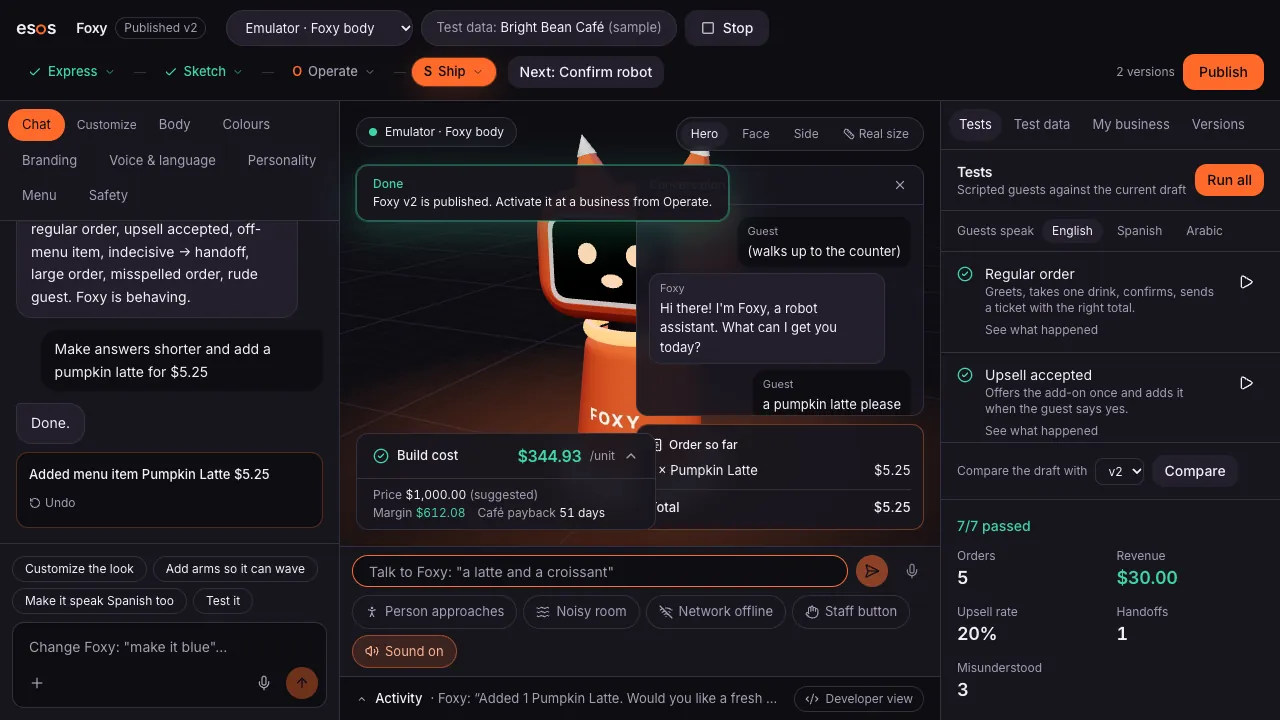
The emulator shows the robot in 3D at its real size and lets you talk to it like a guest would. Try busy rooms, a dropped connection or a confused guest, then scan a code and run it on a phone.
How it works
Emulator, step by step
SSketch · 1
See it in 3D
The body you designed, at its real size, with its face, colours and moves.
SSketch · 2
Talk to it
Type or speak as a guest. It answers in its own voice and language.
SSketch · 3
Try hard situations
A noisy room, a lost connection, a guest it can't understand: see what it does.
OOperate · 4
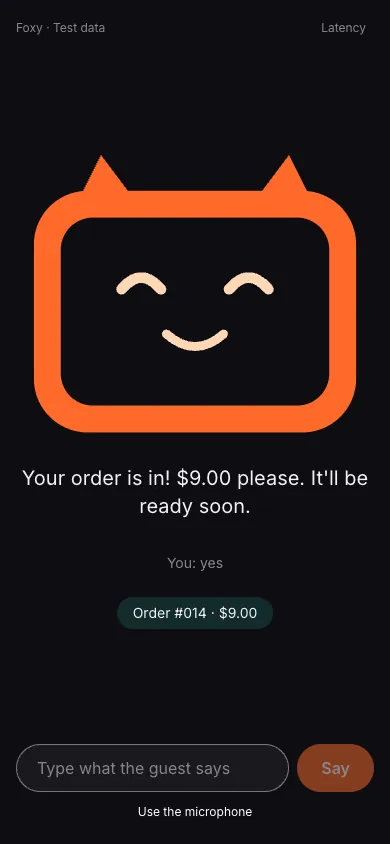
Run it on a phone
Scan the code and any phone or tablet becomes the robot, with a live staff screen.
What it does
Real size
Check the height against a counter before anything is printed or bought.
Scenarios
Someone walks up, the room gets loud, the network drops, staff press the help button.
Compare versions
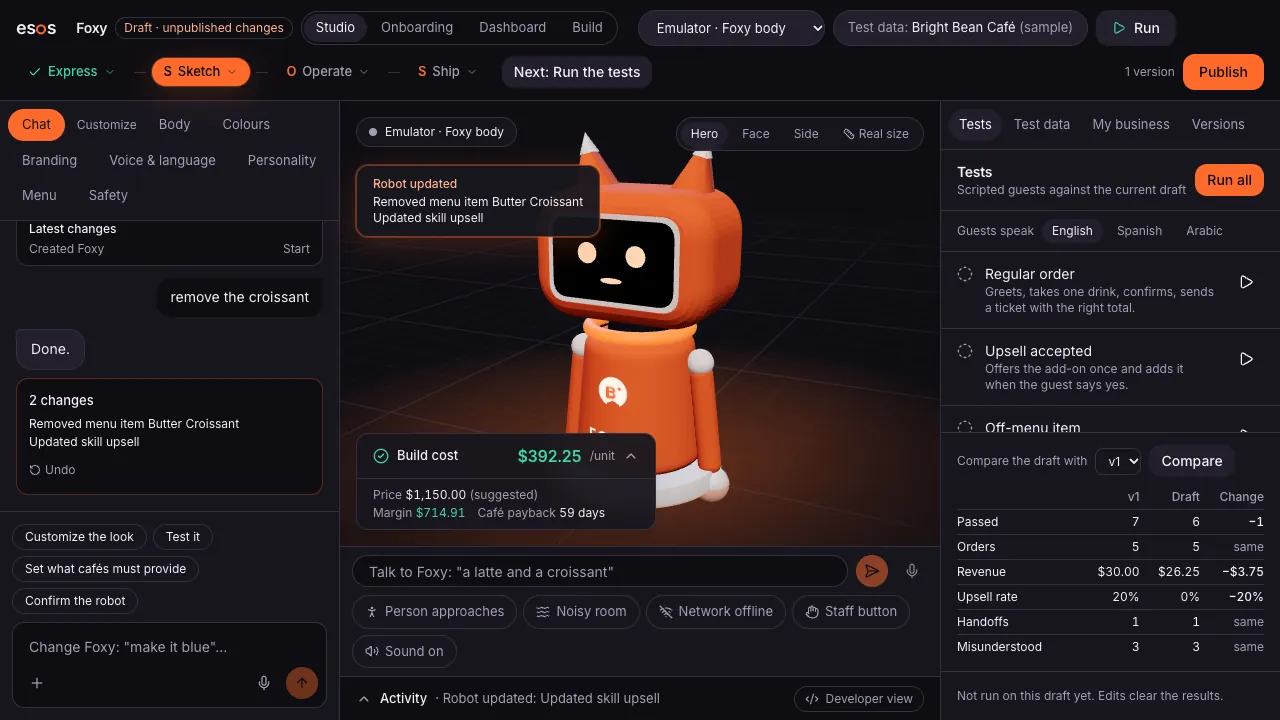
Put two versions side by side and see what changed in the body and in the answers.
Speaks your guests' languages
English, Spanish, Arabic and more, with right-to-left text where it's needed.
Any phone or tablet
The same robot runs in the browser of a phone or tablet: a real pilot before the hardware.
Try one now
Foxy, Atlas and Bloom run in your browser with no account: the same emulator, offline.
Questions
Do I need special hardware to test?
No. The emulator runs in your browser, and any phone or tablet can run the robot for a real pilot.
Is the 3D model the real robot?
It's the same design the Build Pack is made from: the parts, sizes and colours that partners print and assemble.
Can I try it without an account?
Yes. Open “Try a robot” and talk to Foxy, Atlas or Bloom. It runs entirely in your browser.
Design it. Build it. Sell it.
The Studio is opening to its first builders. Join the waitlist, or talk to a robot now.