Express · Studio
Describe it. Esos builds the robot.
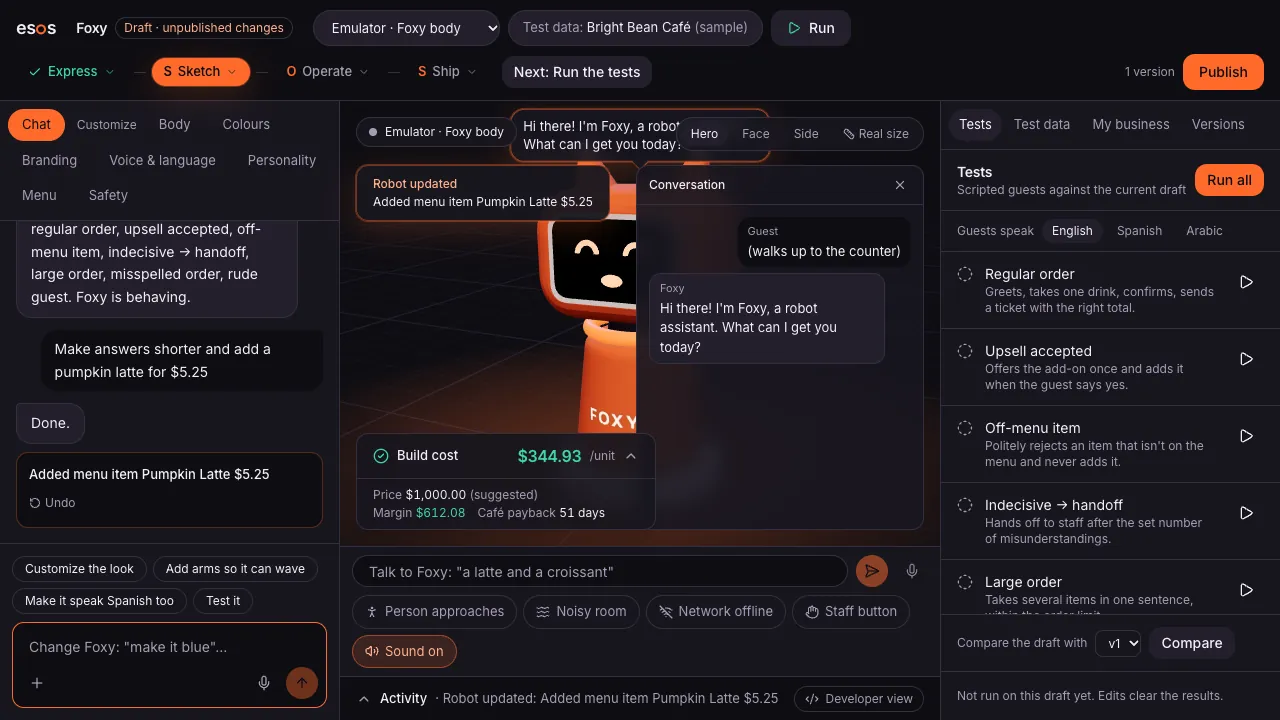
The Studio turns a sentence into a working robot: its body, its skills, its parts and what it costs. Change anything by chat, and every change is tested and saved as a version.
How it works
Studio, step by step
EExpress · 1
Say what you want
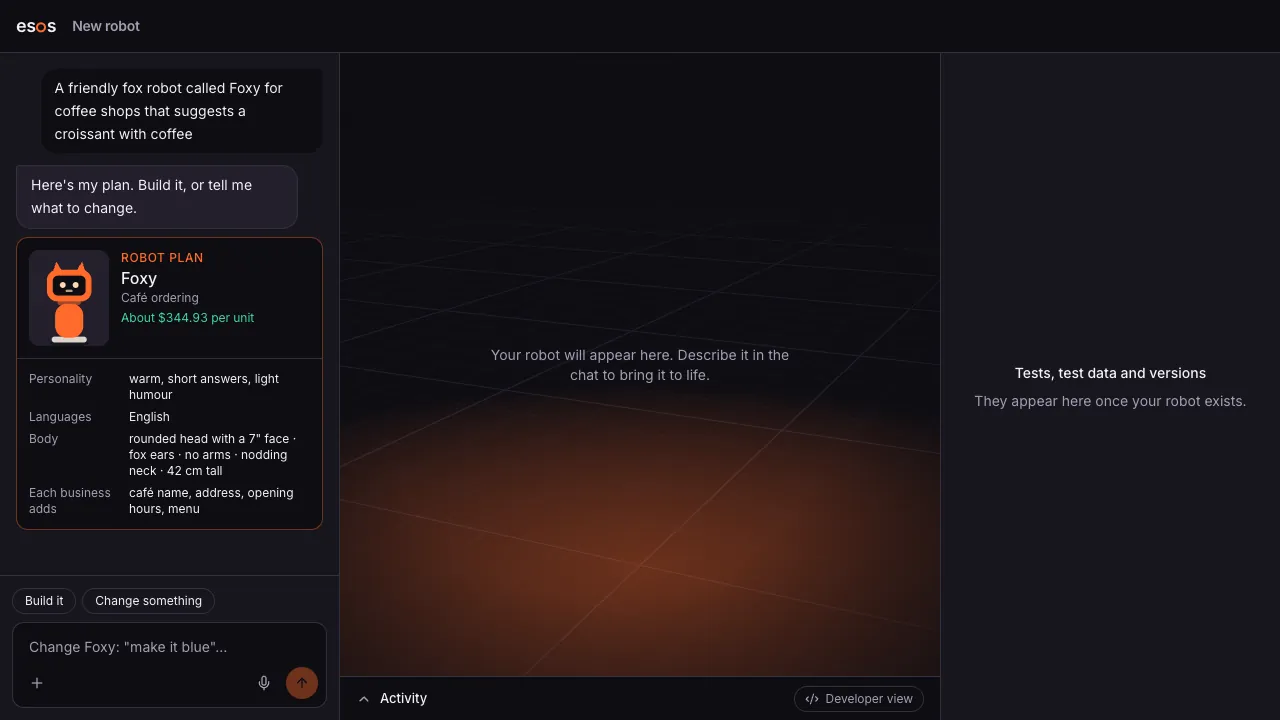
“A friendly fox robot that takes coffee orders.” No forms, no code.
EExpress · 2
Read the plan
Body, skills, languages, the parts it needs and the cost per unit, before anything is built.
SSketch · 3
Build it in one click
Esos builds the robot and runs its test conversations: seven scripted guests, in seconds.
SSketch · 4
Change it by chat
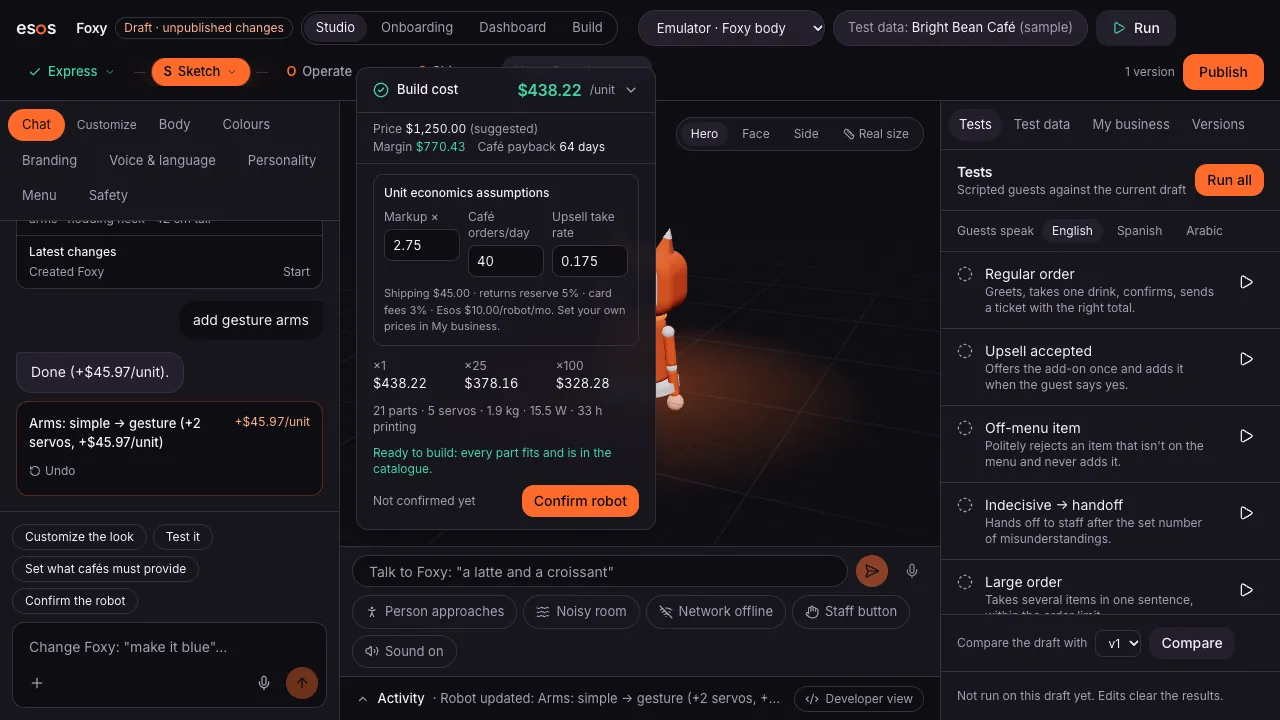
“Add arms so it can wave.” “Make it speak Spanish.” Every change is checked and undoable.
What it does
Chat that builds robots
The assistant edits the robot's design for you and shows exactly what changed, with one-click undo.
Test conversations
Scripted guests (a regular order, an upsell, an off-menu item, a confused guest) run against every change.
Real unit economics
Build cost, suggested price, your margin and how fast a café pays the robot back, updated as you change it.
Versions you can trust
Every published version is frozen. Robots in the field run a version, and you choose when they move to the next.
Menus from a photo
Upload a menu and the robot learns the items and prices. It never invents an item or a price.
Your own AI modelComing soon
Bring your own model key for the Studio chat and the robot's conversations.
Questions
Do I need to know robotics or code?
No. You describe the robot in plain words and change it the same way. The Studio handles the design, the parts list and the tests.
Can the AI make up menu items or prices?
No. Robots follow a declarative spec: the AI fills in what the guest wants, and Esos checks it against your menu and safety rules before anything happens.
When can I use the Studio?
The Studio is invite-only while we work with the first builders. Join the waitlist and we'll invite you.
Design it. Build it. Sell it.
The Studio is opening to its first builders. Join the waitlist, or talk to a robot now.