Operate · Fleet
Your whole fleet, down to one robot.
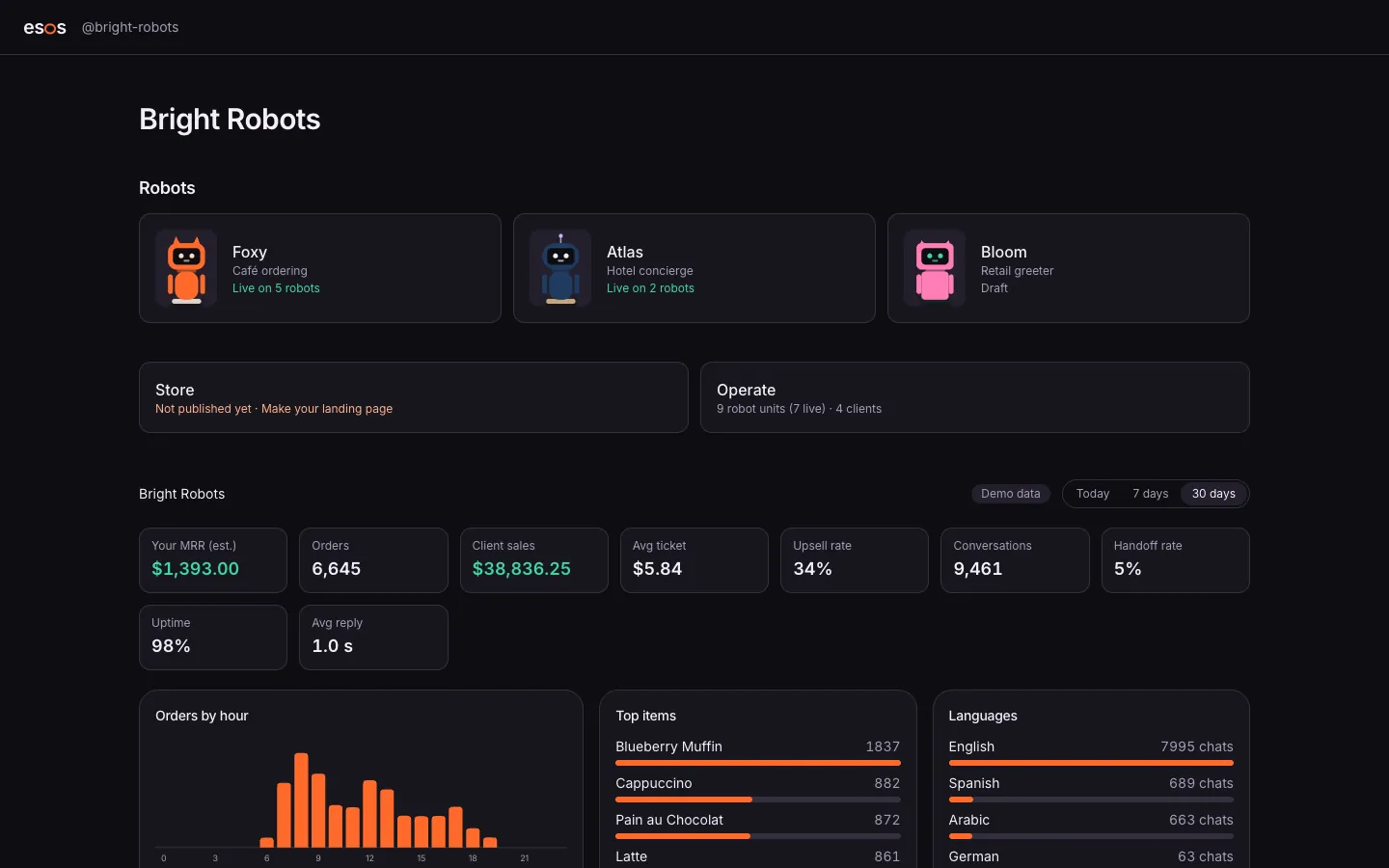
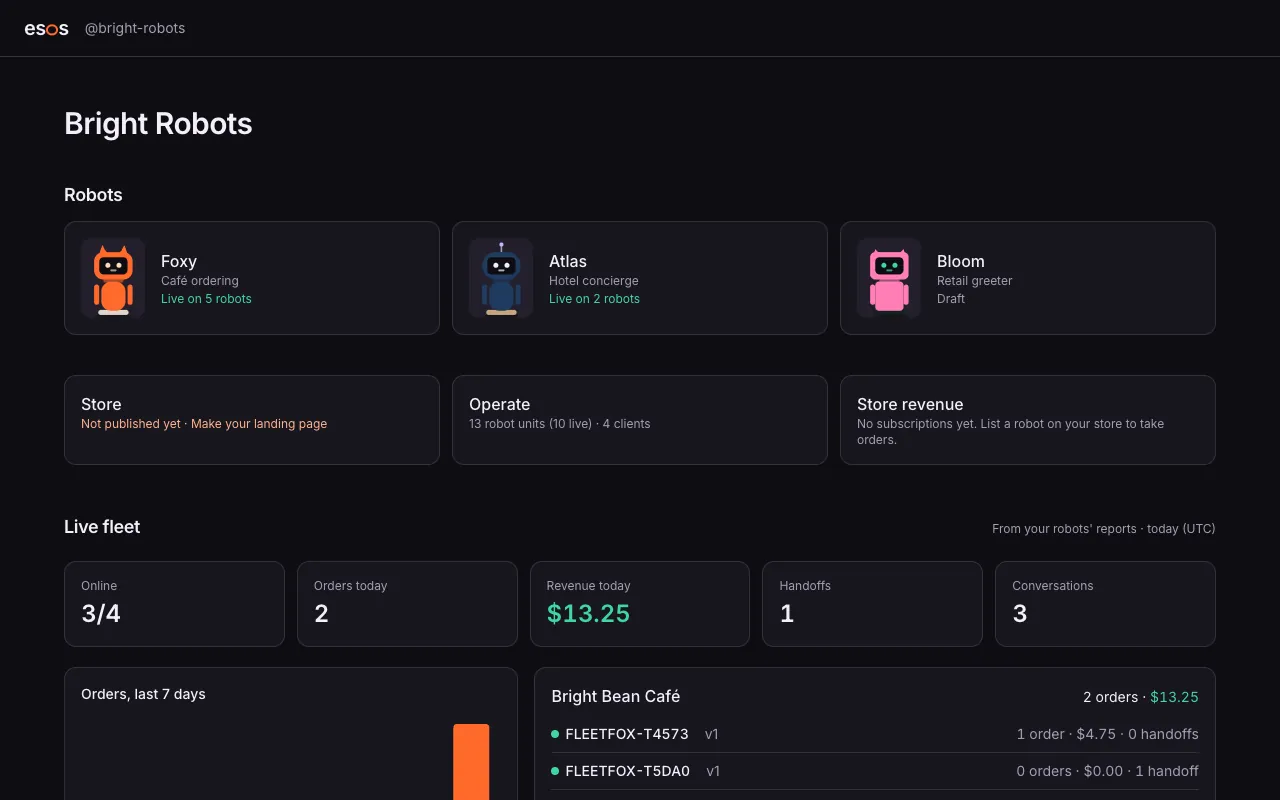
See how your robots are doing everywhere: revenue, orders, upsells, handoffs and uptime, by product line, by client and by robot. Spot a problem at one café before it costs you the account.
How it works
Fleet, step by step
OOperate · 1
The whole business
Your recurring revenue, client sales and conversations at a glance.
OOperate · 2
By product line
How Foxy, Atlas and the rest compare: orders, upsell, handoffs, uptime.
OOperate · 3
By client
Each business's robots and results, ready for their monthly check-in.
OOperate · 4
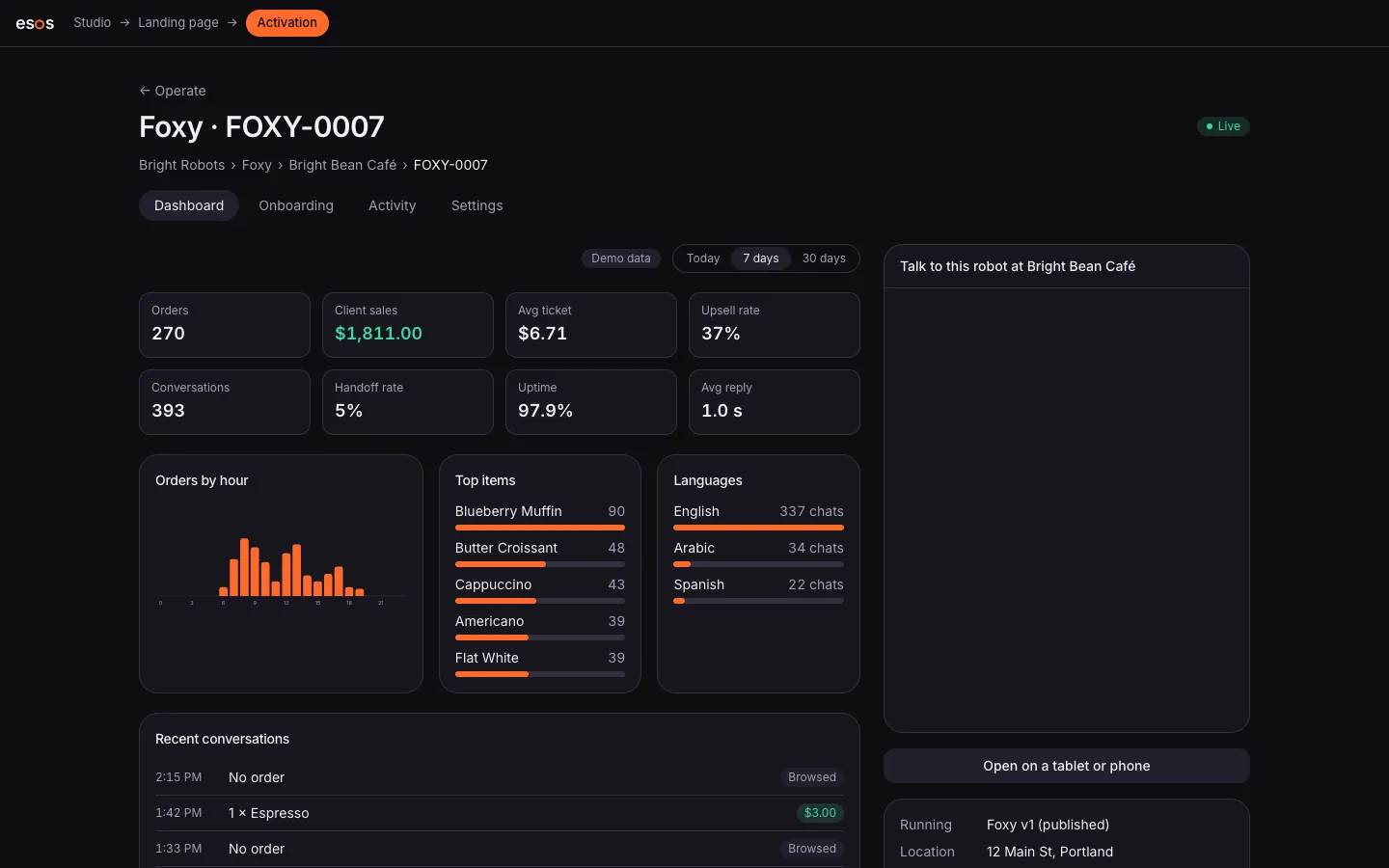
One robot
Its recent conversations, its version and its health, when something needs a look.
What it does
The numbers that matter
Recurring revenue, orders, average ticket, upsell rate, handoff rate, uptime and reply time.
Drill down
From the business to a product line, a client and one robot, in a few clicks.
Conversations
Read what guests asked and what the robot answered, to improve the next version.
Rollouts
See which robots run which version, and roll an update forward or back.
Offline alerts
Know when a robot goes offline during opening hours.
Ask your fleetComing soon
Questions in plain words (“which café upsells the most?”) from your AI assistant.
Questions
Where do the numbers come from?
From the robots themselves: every conversation, order and handoff is recorded as it happens.
Can my clients see their own numbers?
Yes, in their portal on your store: only their robots and their results.
Is the data separate for each business?
Yes. Each workspace's data is isolated in the database, and clients only see their own.
Design it. Build it. Sell it.
The Studio is opening to its first builders. Join the waitlist, or talk to a robot now.