Operate · Operate
From a pilot to robots at work.
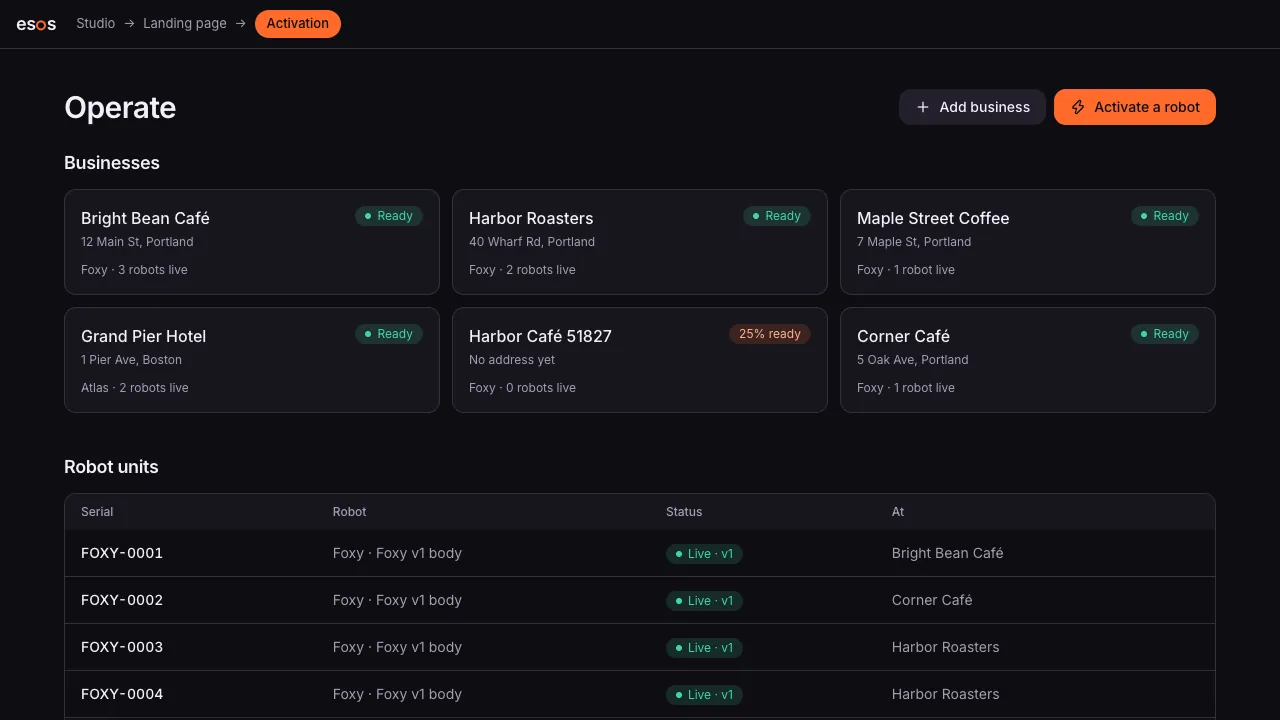
Operate is where your robot business runs: invite the businesses you sell to, collect what each robot needs, activate a tablet or a robot at their counter, and give their staff a live screen.
How it works
Operate, step by step
OOperate · 1
Invite a business
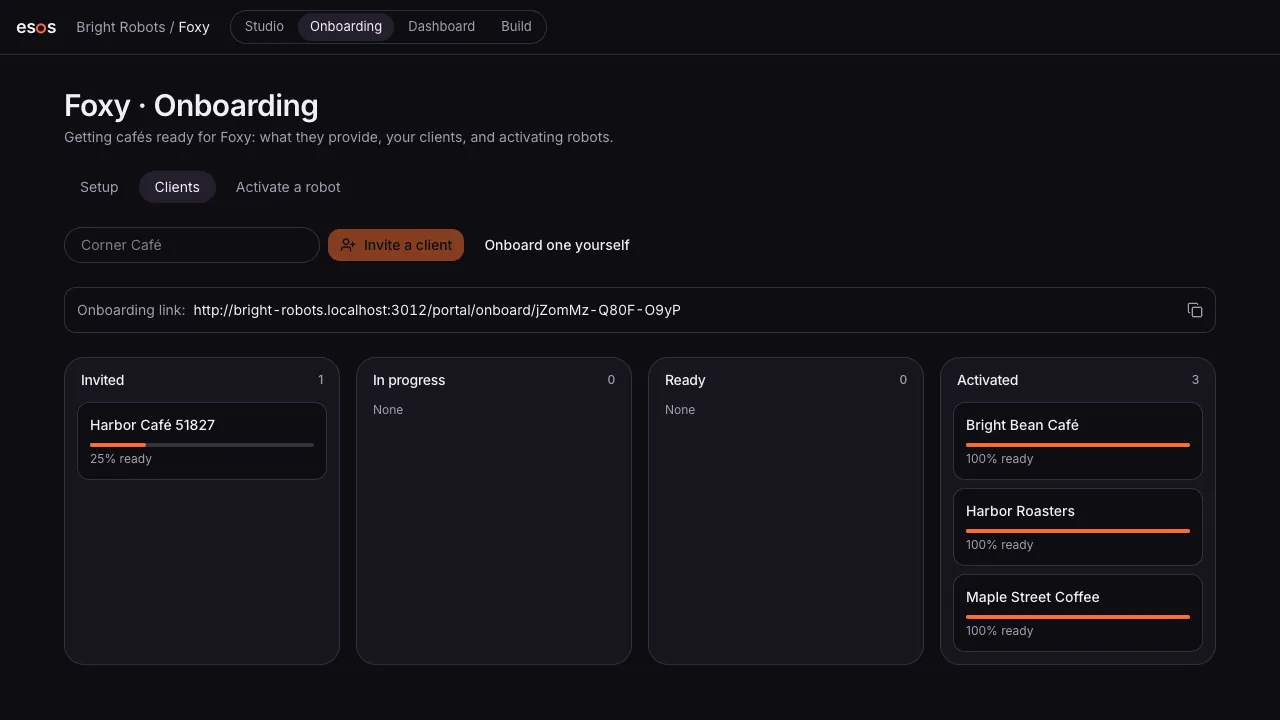
Send a café or hotel an onboarding link. They add their menu, hours and address.
OOperate · 2
Activate a robot
Pair a robot or use a tablet. It runs the published version with that business's data.
OOperate · 3
Staff see everything
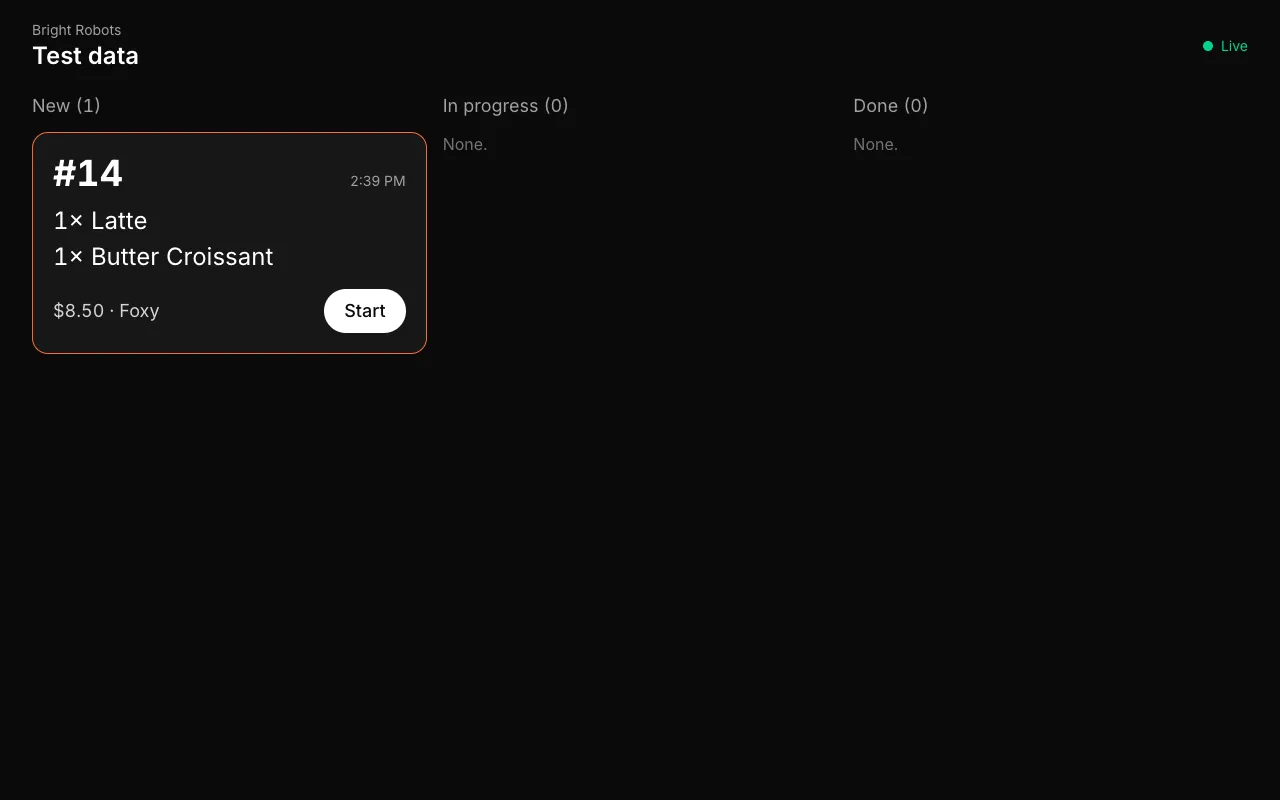
Orders arrive on the staff screen in about a second; a chime when a guest needs a person.
SShip · 4
Update safely
Roll a new version to one robot first, then to the rest when it's working.
What it does
Client onboarding
A checklist per business: what this robot needs from them, and what's still missing.
Live staff screen
Tickets as they're ordered, in progress and done, on any screen behind the counter.
Handoff to a person
When the robot can't help after a couple of tries, it says so and calls staff over.
Staged updates
A new version runs on a test unit first; one click rolls it out or back.
A portal for your clients
Businesses see their robots, their orders and their numbers on your store, under your brand.
Safety on the device
Volume caps, robot disclosure and handoffs are enforced by the robot itself, not just the cloud.
Questions
Do my clients need to install anything?
No. They open a link to onboard, and the staff screen runs in any browser.
What happens when the robot can't help?
After a few misunderstandings it tells the guest a person is coming and alerts the staff screen with a chime.
Can I use a tablet instead of a robot?
Yes. A tablet or phone can be the robot for a pilot, and you activate real units the same way later.
Design it. Build it. Sell it.
The Studio is opening to its first builders. Join the waitlist, or talk to a robot now.